

Information on managing the Z-Wave interfaces connected to your HomeSeer platform.
Overview
From the Manage Interfaces page, you can add, edit, enable and disable your Z-Wave interface(s).
Navigation
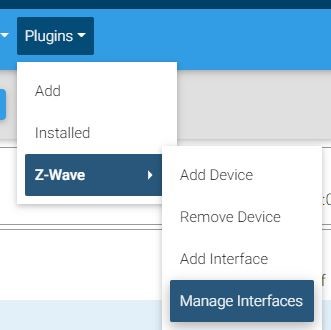
Access the Manage Interfaces page from Plugins > Z-Wave > Manage Interfaces
Options
Adding a Z-Wave Interface
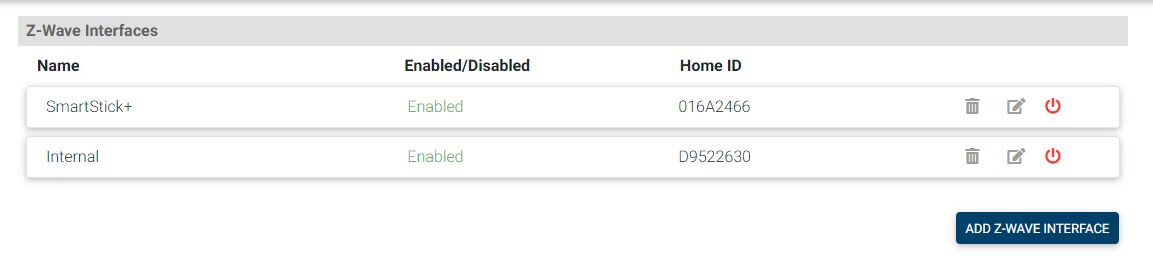
To add a Z-Wave interface, click the Add Z-Wave Interface button seen above. Please see our guide on adding Z-Wave interfaces for instructions on that process.
Editing Interfaces
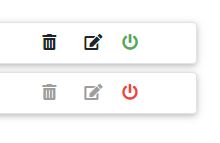
An enabled Z-Wave interface has a red power icon and the buttons to edit or delete it are grayed out. To edit or delete an interface, click the red power icon and it will turn green.
-

-

Changing Z-Wave Frequency
The HT-PI-G3, Z-NET-G3 and SmartStick+ G3 all allow for changing the frequency of the Z-Wave chip.
-
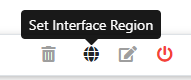
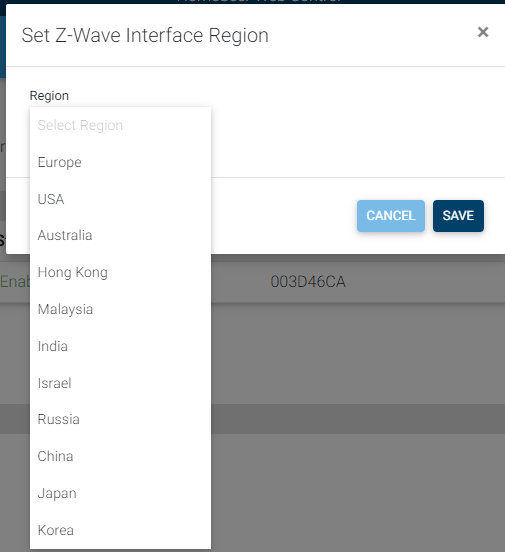
Click the Set Interface Region icon.
-
In the pop-up change the drop-down menu to the locale that matches the frequency necessary. (see the table below for frequency listings)
-
Click save when finished.
Frequencies
|
Frequency (MHz) |
Used In (Locale) |
|---|---|
|
865.2 |
India |
|
869 |
Russia |
|
868.4 |
China, Singapore, South Africa |
|
868.4, 868.42, 869.85 |
CEPT Countries (Europe and other countries in region), French Guiana |
|
908.4, 908.42, 916 |
USA, Canada, Argentina, Guatemala, The Bahamas, Jamaica, Barbados, Mexico, Bermuda, Nicaragua, Bolivia, Panama, British Virgin Islands, Suriname, Cayman Islands, Trinidad & Tobago, Colombia, Turks & Caicos, Ecuador, Uruguay |
|
916 |
Israel |
|
919.8 |
Hong Kong |
|
919.8, 921.4 |
Australia, New Zealand, Malaysia, Brazil, Chile, El Salvador, Peru |
|
919–923 |
South Korea |
|
920–923 |
Thailand |
|
920–925 |
Taiwan |
|
922–926 |
Japan |
Notes
If you run into issues managing your interfaces, you can show the Legacy Z-Wave menu and access the legacy method of managing interfaces from Plugins > Z-Wave > Controller Management.