

Information on using the Z-Wave Plus Advanced Functions tool
Overview
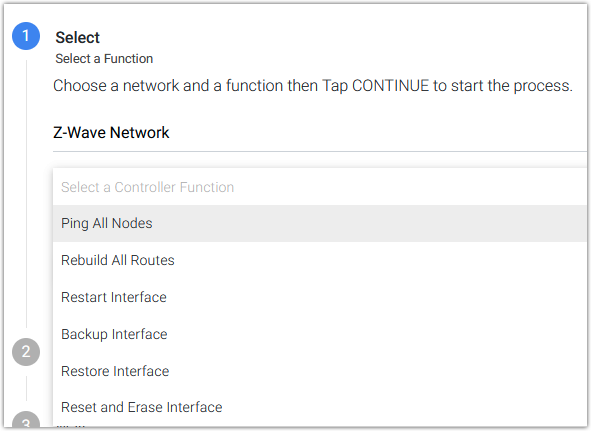
The Advanced Functions tool includes the following Z-Wave controlller functions:
-
Ping All Nodes - A simple command is sent to all normally awake devices to determine if they are responsive.
-
When to use: Use this to check device communications if your Z-Wave network seems slow or cannot be reliably monitored and controlled.
-
-
Rebuild All Routes - A command is sent to all normally awake devices to force them to rediscover their neighboring devices.
-
When to use: Use this to strengthen the wireless mesh and improve performance for all devices and for their neighbors.
-
-
Restart interface - A command is issued to the controller to restart.
-
When to use: Use this command if your controller appears to be in a bad state and restarting the Z-Wave Plus plugin has not helped.
-
-
Backup Interface - This command creates a backup file of all Z-Wave node information that’s stored on the interface.
-
When to use: Use this command to create a backup after devices have been added or removed from the controller.
-
-
Restore Interface - This command erases the controller and restores a Z-Wave node backup to your controller.
-
When to use: Use this command when transferring your Z-Wave network from one controller to another.
-
-
Reset and Erase Interface - This command erases all Z-Wave node information from the controller and resets it to factory defaults.
-
When to use: Use this command when you wish to create a Z-Wave network from scratch.
-
Procedure
-
Navigate to Plugins > Z-Wave Plus > Advanced Functions.
-
On the Select step, choose the Z-Wave network (if you have more than one), then Select a Controller Function and click CONTINUE.
-
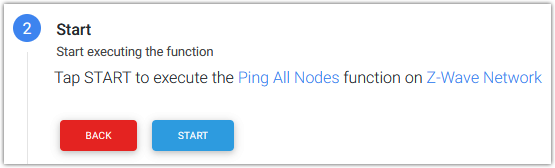
Review the information in the Start step and click START.
-
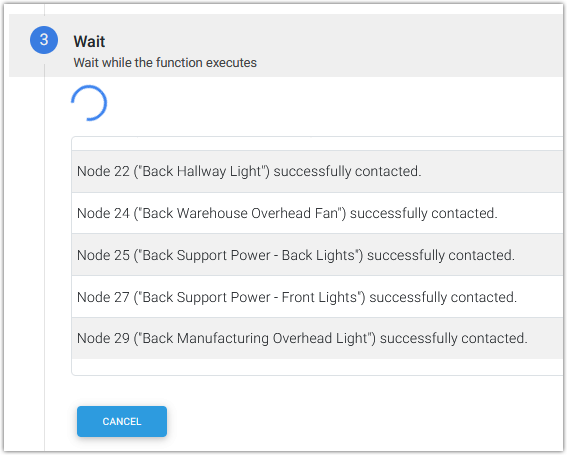
The Wait step displays any available information about the function being performed, then advances to Done. This may take some time.
-
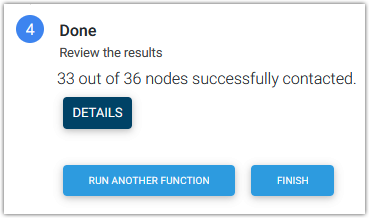
The Done step displays the results of the function and offers these additional options:
-
RUN ANOTHER FUNCTION - click this if you wish to run another function.
-
FINISH - click this to return to the HS4 Devices screen.
-