

Use this guide to connect a Z-NET PRO to a PoE (Power over Ethernet) network
Overview
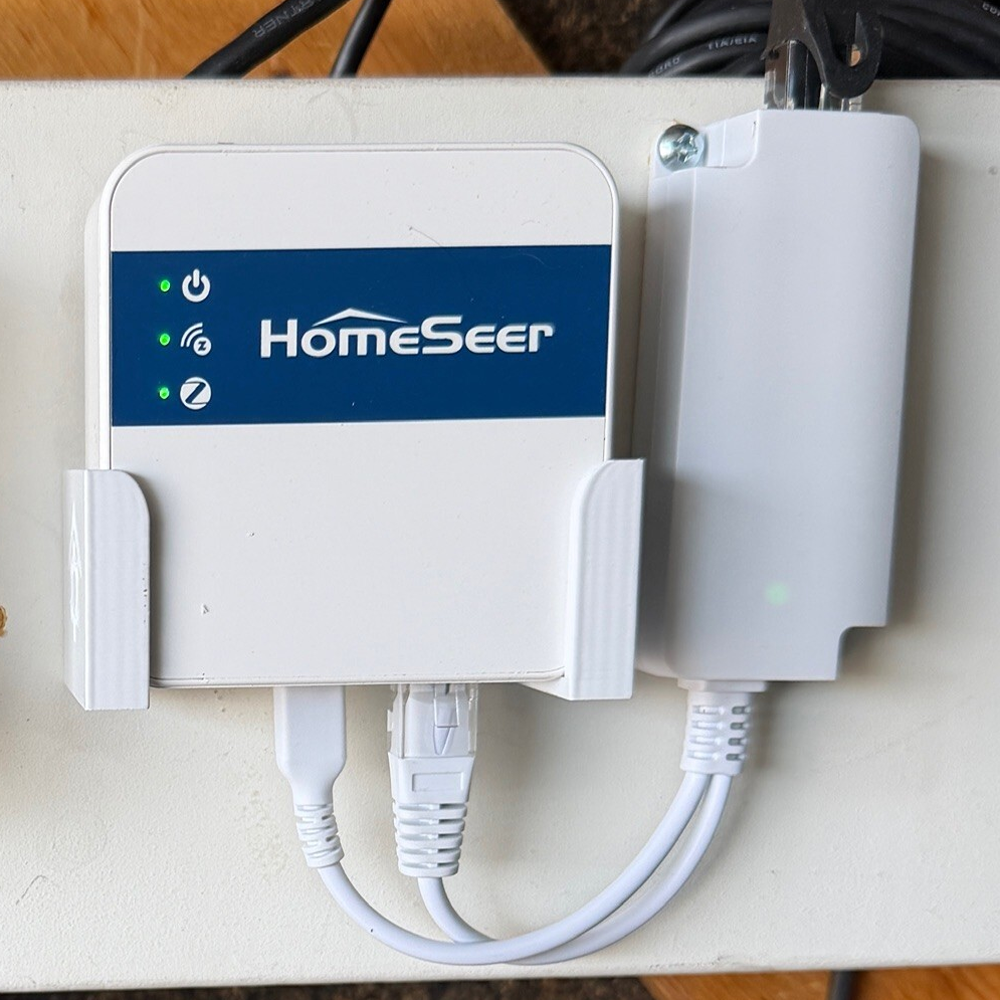
The Z-NET PRO does not support Power over Ethernet (PoE) directly. However, you can still power it from a PoE network by using a PoE splitter. A PoE splitter separates power and data from a single Ethernet cable so the Z-NET PRO can receive both network connectivity and power. Using a PoE splitter can simplify installations by eliminating the need for a nearby power outlet.
What you’ll Need
-
Z-NET PRO
-
PoE-enabled network
-
PoE splitter with 5V USB-C output cable & Ethernet cable
Installation Steps
-
Connect a PoE Network Cable to the PoE splitter input port.
-
Connect the Ethernet output from the splitter to the Ethernet port on the Z-NET PRO.
-
Connect the USB power output from the splitter to the power input on the Z-NET PRO.
Once connected, the PoE network will supply both power and network connectivity to the Z-NET PRO.
Troubleshooting
Z-NET PRO does not power on
-
Confirm your PoE switch or injector is providing power
-
Verify the splitter outputs 5V USB power
Network connection not detected
-
Ensure the Ethernet output from the splitter is connected to the Z-NET PRO
-
Confirm the PoE switch port is active