

Use this guide to configure your HomeSeer hub to work with the Z-NET PRO Z-Wave & Zigbee network interface using Z-Wave Plus and Zigbee Plus plugins.
Overview
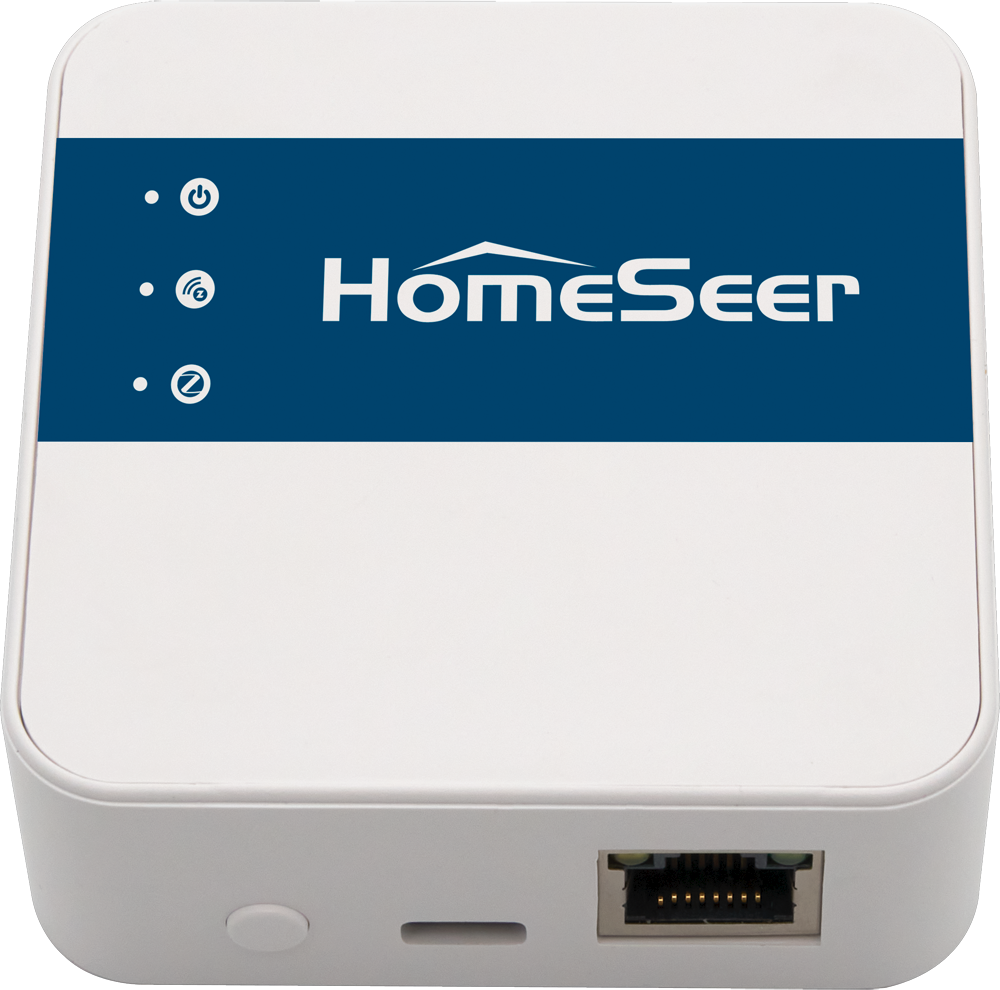
Z-NET PRO is a network-connected interface that’s designed to send and receive wireless commands to and from Z-Wave and Zigbee smart home devices. This guide will cover the steps required to use Z-NET PRO with HomeSeer’s Z-Wave Plus and Zigbee Plus plugins.
Initial Setup
This guide requires your Z-NET PRO to be initialized and connected to your home’s local area network (LAN). If you’ve not already done this, please refer to the Quick Start Guide for instructions.
Z-Wave Integration
Z-NET PRO works nicely with HomeSeer’s Z-Wave Plus plugin. The options below include links to detailed docs designed to get you up and running with the Z-NET PRO.
Option 1: Starting from scratch
If you’re new to HomeSeer or have not yet created your Z-Wave network or if you wish to rebuild your network from scratch, follow these steps:
-
Install the Z-Wave Plus plugin using the procedure outlined in Installing Plugins
-
Set up Z-Wave Plus using the procedure outlined in Setting Up the Z-Wave Plus Plugin
Option 2: Migrating from another Z-Wave controller
If you’re already using HomeSeer with an older Z-NET or SmartStick and wish to migrate your Z-Wave network to the Z-NET PRO, you’ll need to follow the procedure outlined in 800 Series Controller Migration Guide (SmartStick or Z-NET).
Zigbee Integration
Follow these steps to set up the Z-NET PRO with HomeSeer’s Zigbee Plus plugin.
-
Install the Z-Wave Plus plugin using the procedure outlined in Installing Plugins
-
Set up Zigbee Plus using the procedure outlined in Setting Up the Zigbee Plus Plugin